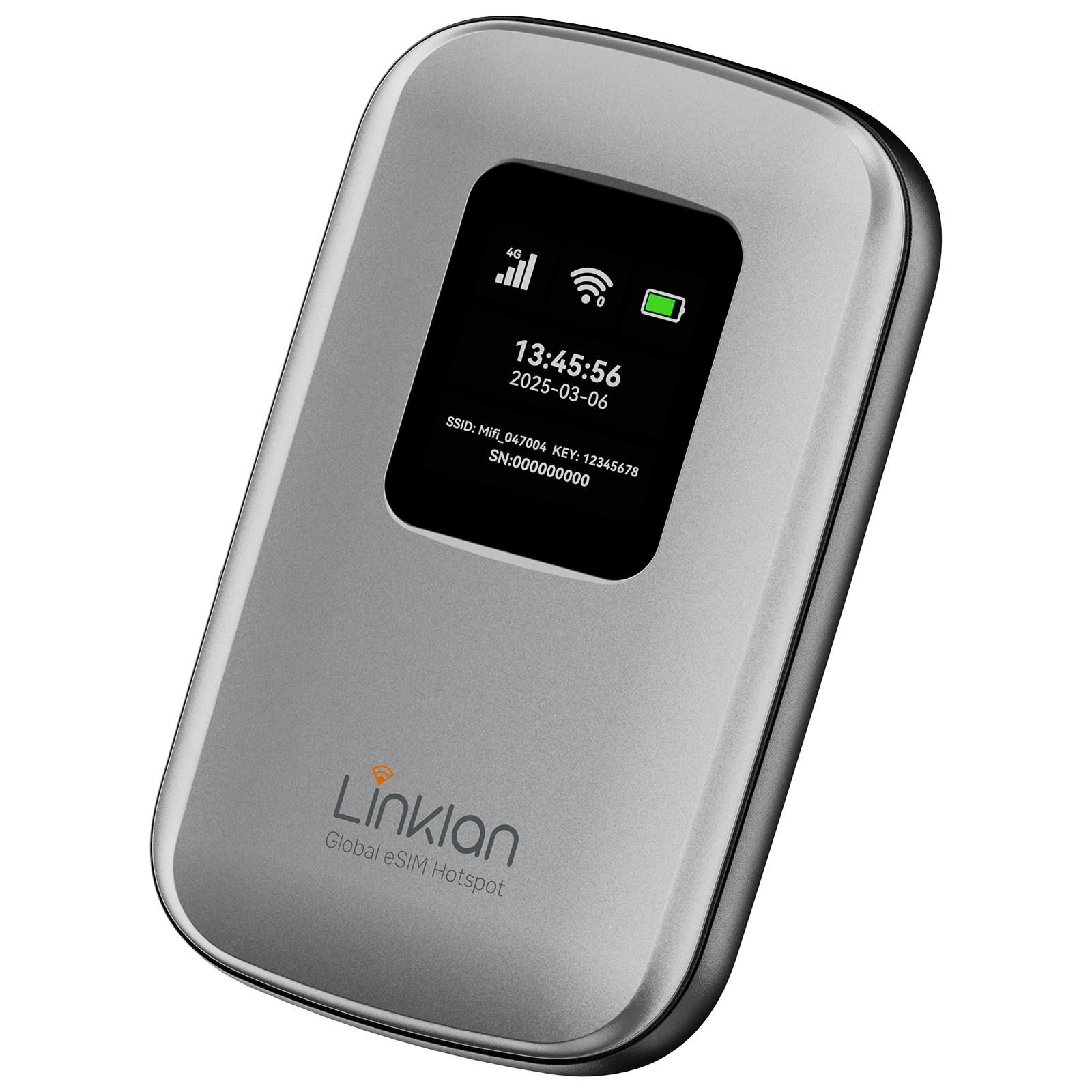
Keep in touch with the people who matter.

Iraq
Plan TypeData Only
eKYC (IDENTITY VERIFICATION)Not Required
ActivationPlease activate your data plan within 30 days after placing the order. After the order expires, it cannot be refunded or used.
Hotspot sharingSupport the function of connecting through hotspot sharing.
AttentionThis plan is only valid in the corresponding region. It offers unlimited-speed data during the validity period, and the service will be suspended once the data quota is exhausted.
Number of eSIMs
1
Check the activation instructions in your order before installing your eSIM.


Stay connected on your trip

Share photos and travel moments.

Enjoy music and video where your plan supports it.

Use maps and travel apps while exploring.
Installation Steps
01
Choose your destination and select the eSIM data plan that fits your trip.

02
Install the eSIM on a compatible phone or Linklan Hotspot using automatic setup, a QR code, or manual details.

03
Turn on your eSIM when you arrive and start using mobile data.

Travel with a plan that fits
Choose the data and validity that suit your trip.


Keep your apps
Continue using your familiar messaging apps and contacts.

Ready for travel
Choose a plan for your destination and follow the activation instructions in your order.

Check your device
Make sure your device supports eSIM before you purchase.

Explore coverage
Review the included destinations and supported operators for this plan.

Share your data
Use hotspot sharing when your device and plan allow it.

More ways to save
Check available offers when you choose your next plan.
Compare your connection options
Choose the setup that works best for your trip.
| Linklan eSIM | Physical SIM | Pocket Wi-Fi | |
|---|---|---|---|
| Digital delivery |  |  | |
| Physical SIM required | | | |
| Extra device required | | | |
Need help?
Review the answers below for help with your eSIM plan.

Frequently asked questions
Everything you need to know before you buy.
How to set up an APN?


-
Connect your mobile phone to the device's Wi-Fi.
-
Open the mobile browser and enter the address: 192.168.43.1
-
Click Start .
-
Set a new Wi-Fi password, check the box "Current password is the same as WLAN password", then click Next.
-
Reconnect your mobile phone to the device's Wi-Fi, enter the password you just set, and log in.
-
After entering the management page, select Network Settings.
-
Click the + (Add) button on the right side of the Profile list.
-
Fill in the APN information: Enter the APN name in both the Profile and APN fields. If the APN includes a username and password, fill them in as well.
-
Click Save, then check whether the settings are successful on the webpage or the device screen.
How can I switch the network operator on the eSIM hotspot device?
Connect your phone to hotspot WiFi
Visit the device admin panel via browser (192.168.43.1) and log in with administrator account
Go to【Network Settings / Mobile Network Status】
Set network search mode to【Manual】
Wait for scanning available nearby operators
Select target operator and save settings, device will register network automatically
Does the Linklan eSIM Hotspot support data usage limits or usage alerts?
The hotspot device itself does not show data usage. However, the Linklan App lets you monitor:
-
Used and remaining data
-
Plan expiration time
-
Network connection quality
Ideal for travelers using portable WiFi worldwide.
How many eSIM profiles can the Linklan eSIM Hotspot store?
Your Linklan travel hotspot can store up to 10 eSIM profiles. For best performance and network stability, we recommend activating no more than 5 at a time.
Can I install my own eSIM on the Linklan eSIM Hotspot?
Absolutely. You can install any unused GSMA-compliant eSIM, including regional or international phone plans, by scanning the QR code in the Linklan App.
Can the Linklan eSIM Hotspot install Airalo eSIMs?
Yes. The hotspot fully supports Airalo eSIM plans and other GSMA-compliant services. Use the Linklan App to scan the QR code and begin using global data instantly.
How can I purchase data plans for the Linklan eSIM Hotspot?
Option 1: Use the Linklan App or website to buy and activate a plan instantly.
Option 2: Purchase from third-party eSIM marketplaces like Airalo or Holafly, then use the Linklan App to scan the QR code and install the plan on your portable WiFi hotspot.
Method 2: Buy a plan from other major eSIM data providers and use the Linklan App to scan the QR code and install it on your hotspot.
Do you support pay-as-you-go or daily plans?
Yes. Linklan offers a wide range of affordable phone plans, including daily, weekly, and pay-as-you-go data plans. You can also bring your own plan from other cheap data providers.
Are there any extra charges for roaming?
No hidden fees. You pay only for the data plan you select — whether it’s from Linklan or a third party. There are no roaming fees when using your eSIM hotspot abroad.
Does it support global data plans?
Yes. Linklan supports global and regional eSIM data plans in 180+ countries. Whether you need a T-Mobile data plan, cheap phone plan, or a portable WiFi plan for travel, we’ve got you covered. Just ensure your provider complies with the GSMA eSIM standard.
What Travelers Say About Linklan
See how travelers stay connected with Linklan eSIM.