What Is An eSIM?

An eSIM is a digital SIM built into your device, allowing you to connect to mobile networks without inserting a physical card. You can add multiple eSIM plans, switch between them when needed, and get connected within minutes. It works with eSIM-compatible smartphones, mobile Wi-Fi devices, and other supported connected devices.

Explore eSIM Plans
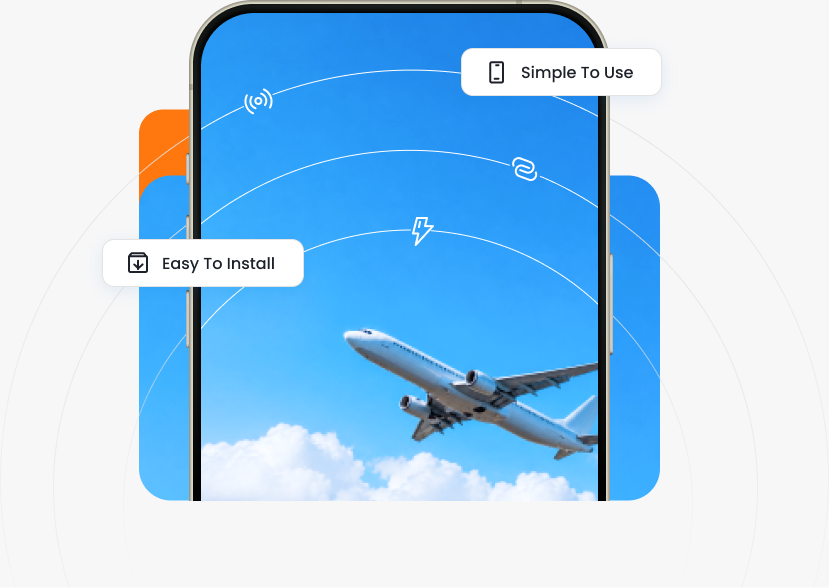
Linklan eSIM phone connecting during a flightLinklan eSIM phone connecting during a flight
Easy to Stay Connected

How Does An eSIM Work?

Once activated, your eSIM connects your device to a supported local mobile network at your destination, with speeds of up to 5G where available. You can continue using your phone just as before—your apps, accounts, contacts, and WhatsApp number all stay the same. The only difference is that your mobile data now comes from your eSIM plan.

  • Connect To Local Networks
  • Everything Works As Usual
  • Keep Your Primary SIM
Three travelers using a phone together

Two Ways To Use Your eSIM

Choose one: phone or Linklan Hotspot.

Travelers installing an eSIM on a phone

Automatic

Recommended
  1. 01

    After your purchase, download the Linklan App and go to “My eSIMs”.

  2. 02

    Tap “Install eSIM” and follow the on-screen instructions.*

  3. 03

    That’s it! Your data will activate automatically at your destination.

*Automatic installation is available on iOS 17.4+ and Android 10+.
Traveler checking an eSIM QR code on her phone

QR Code

  1. 01

    Find your eSIM QR code in the Linklan App or in the setup email we sent you.

  2. 02

    Press and hold the QR code to install (only for iOS 17.4+) or scan it with your mobile device.

  3. 03

    Tap “Add eSIM” and follow the on-screen instructions. Your data will activate at destination.

Two friends viewing eSIM setup details on a phone

Manual Codes

Recommended
  1. 01

    Find your manual installation code in the Linklan App or in the setup email we sent you.*

  2. 02

    Open Settings > Connections > Mobile Network or SIM Manager. Tap Add eSIM or Add Mobile Plan.

  3. 03

    Select Scan QR Code, then tap Enter Details Manually and enter the codes. Your data will activate at destination.

*Automatic installation is available on iOS 17.4+.

eSIM Benefits

Instant Delivery

Keep using the same apps, contacts, and accounts. Call and message family and friends just as if you were in the same country.

Easy To Install

Install your eSIM in minutes using automatic setup, a QR code, or manual installation details.

Everything Stays The Same

Keep using your usual apps, contacts, accounts, and WhatsApp number just as before.

Switch Plans Easily

Store multiple eSIM plans on compatible devices and switch between them as your journey changes.

Use It Your Way

Install your eSIM on a compatible phone, or use it with a Linklan Hotspot to connect multiple devices.

More Control While Traveling

Choose a suitable data plan before departure and manage your travel data without relying on traditional roaming.

Physical SIM Vs eSIM

Physical SIM

  • Requires Inserting Or Replacing A Card
  • Usually Obtained As A Physical Product
  • Limited By Available SIM Card Slots
  • May Need To Be Purchased After Arrival
  • Physical Card May Be Lost Or Damaged
  • Switching Plans Requires Changing Cards

eSIM

  • Installed Digitally
  • Delivered Online After Purchase
  • Store Multiple Plans On Compatible Devices
  • Can Be Installed Before Departure
  • No Physical Card To Carry
  • Switch Between Installed Plans More Easily

Why Linklan Delivers The Best eSIM Experience

  • Everything Works As Usual
  • Use eSIM Beyond Your Phone
  • One Plan. All Your Devices.
  • Everything In One App
  • Support Throughout Your Journey
Two friends managing their connection on a phone

Ready for the Best eSIM Experience?Ready For Your Next Trip?

Choose your destination, find the right plan, and stay connected your way with Linklan.Choose your destination and find the right Linklan eSIM plan.

Explore Destinations

Frequently Asked Questions

Get quick answers to our most-asked questions.

How Can I Get An eSIM?
eSIM compatibility depends on your device model, region, and carrier restrictions. Check that your device supports eSIM, then choose a Linklan plan for your destination.
How Do I Install And Activate My eSIM?
After purchasing a plan, open the Linklan App and follow the automatic installation steps, scan your QR code, or enter the installation details manually. Your plan activates according to its terms.
Will An eSIM Change My Phone Number?
Your primary SIM and its phone number can stay active on a compatible dual-SIM device. Your Linklan eSIM provides mobile data for your trip.
Do eSIMs Have A Better Signal?
Signal quality depends on the supported local network and coverage at your location, just as it does with a physical SIM.
Which Devices Support eSIM?
Many recent smartphones and some mobile Wi-Fi devices support eSIM. Check your device specifications and carrier restrictions before purchasing.
Do eSIMs Have A Better Signal?
An eSIM uses a supported mobile network. Your connection speed and signal depend on local coverage, network conditions, and your device.
What Happens To My Physical SIM After Installing An eSIM?
Your physical SIM remains in your phone. On a compatible device you can keep it for calls and texts while using your eSIM for travel data.
Global eSIM data for travel.
Stay connected, wherever you go.

Download on the App StoreGet it on Google Play