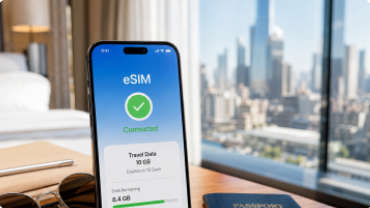
A Better Way To Use eSIM Data
Stay Connected Wherever You Go.
Travel with flexible eSIM data plans that keep you connected worldwide-easy to activate,simple to manage, and ready whenever your journey begins.




Manage Everything in One App


Install Fast. Connect Easily.


More Value with Hotspot
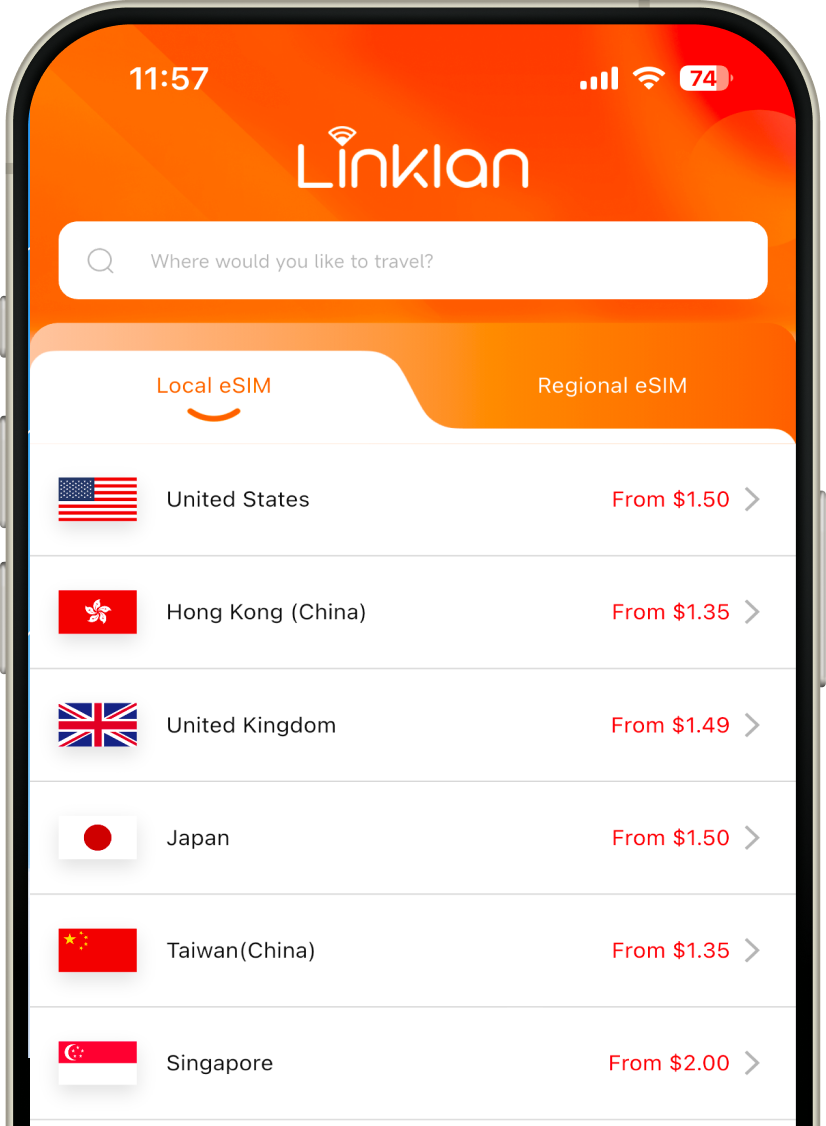
Where are you traveling?
Choose your destination, then select the data plan that fits your trip.

Why choose Linklan for your travels?


Unlimited Data & Flexible Plans
Choose unlimited data for worry-free travel or a fixed-data plan that fits your trip and budget.


Fast & Reliable Connection
Automatically connect to the best available local network for stable, consistent and high-speed data from the moment you arrive.


No More Expensive Roaming
Avoid costly roaming charges with clear, upfront pricing. You will know exactly what you are paying from the start, with no hidden fees.


Easy to Install, Simple to Use
Install automatically through the Linklan App or scan a QR code. Activate your data when you arrive - no physical SIM card needed.


Keep your number and apps
Continue using your usual social and messaging apps while traveling. Your contacts, accounts and everyday experience stay the same.


24/7 Customer Support
Need help or have questions? Our chat support team is available around the clock and just a message away.


What is an eSIM?
An eSIM is a digital SIM built into your device, allowing you to connect to mobile networks without inserting a physical card. You can add multiple eSIM plans, switch between them when needed, and get connected within minutes. It works with eSIM-compatible smartphones, mobile Wi-Fi devices, and other supported connected devices.


'%3e%3cpath%20id='Vector'%20d='M8.77816%201.19531H3.57025C3.13881%201.19531%202.78906%201.55638%202.78906%202.00177V11.1417C2.78906%2011.5871%203.13881%2011.9481%203.57025%2011.9481H8.77816C9.2096%2011.9481%209.55935%2011.5871%209.55935%2011.1417V2.00177C9.55935%201.55638%209.2096%201.19531%208.77816%201.19531Z'%20stroke='%231D2129'%20stroke-width='0.796504'/%3e%3cpath%20id='Vector_2'%20d='M5.97266%202.78906H7.16741'%20stroke='%231D2129'%20stroke-width='0.796504'%20stroke-linecap='round'%20stroke-linejoin='round'/%3e%3cpath%20id='Vector_3'%20d='M5.17578%209.95312H7.16704'%20stroke='%231D2129'%20stroke-width='0.796504'%20stroke-linecap='round'%20stroke-linejoin='round'/%3e%3c/g%3e%3cdefs%3e%3cclipPath%20id='clip0_0_4'%3e%3crect%20width='12.7441'%20height='12.7441'%20fill='white'/%3e%3c/clipPath%3e%3c/defs%3e%3c/svg%3e)

'%3e%3cpath%20id='Vector'%20d='M6.57172%2011.9442C9.54102%2011.9442%2011.9481%209.53712%2011.9481%206.56781C11.9481%203.5985%209.54102%201.19141%206.57172%201.19141C3.60241%201.19141%201.19531%203.5985%201.19531%206.56781C1.19531%209.53712%203.60241%2011.9442%206.57172%2011.9442Z'%20stroke='%231D2129'%20stroke-width='0.796504'/%3e%3cpath%20id='Vector_2'%20d='M1.59375%208.15011C2.27478%208.42989%202.76505%208.42989%203.06451%208.15011C3.51372%207.73045%203.1261%206.45678%203.75522%206.10551C4.38431%205.75424%205.34281%207.31132%206.23869%206.79898C7.13454%206.28662%206.15428%204.92046%206.77597%204.36661C7.39767%203.81276%208.20609%204.43739%208.34739%203.5113C8.4887%202.58522%207.68808%202.98688%207.53445%202.11175C7.43201%201.52833%207.43201%201.22155%207.53445%201.19141'%20stroke='%231D2129'%20stroke-width='0.796504'%20stroke-linecap='round'/%3e%3cpath%20id='Vector_3'%20d='M7.74728%2011.5489C7.25293%2011.0464%207.07496%2010.5792%207.21339%2010.1475C7.42104%209.49983%207.76355%209.53811%207.9129%209.13768C8.06222%208.73722%207.64037%208.16689%208.57643%207.67934C9.20047%207.3543%2010.0585%207.73091%2011.1505%208.80915'%20stroke='%231D2129'%20stroke-width='0.796504'%20stroke-linecap='round'/%3e%3c/g%3e%3cdefs%3e%3cclipPath%20id='clip0_0_13'%3e%3crect%20width='12.7441'%20height='12.7441'%20fill='white'/%3e%3c/clipPath%3e%3c/defs%3e%3c/svg%3e)
How To Work
Select your destination and the data plan that fits your trip.

Follow the setup guide in the Linklan App to complete installation.
Turn on your eSIM when you arrive and connect instantly.

Use Your eSIM Data Better
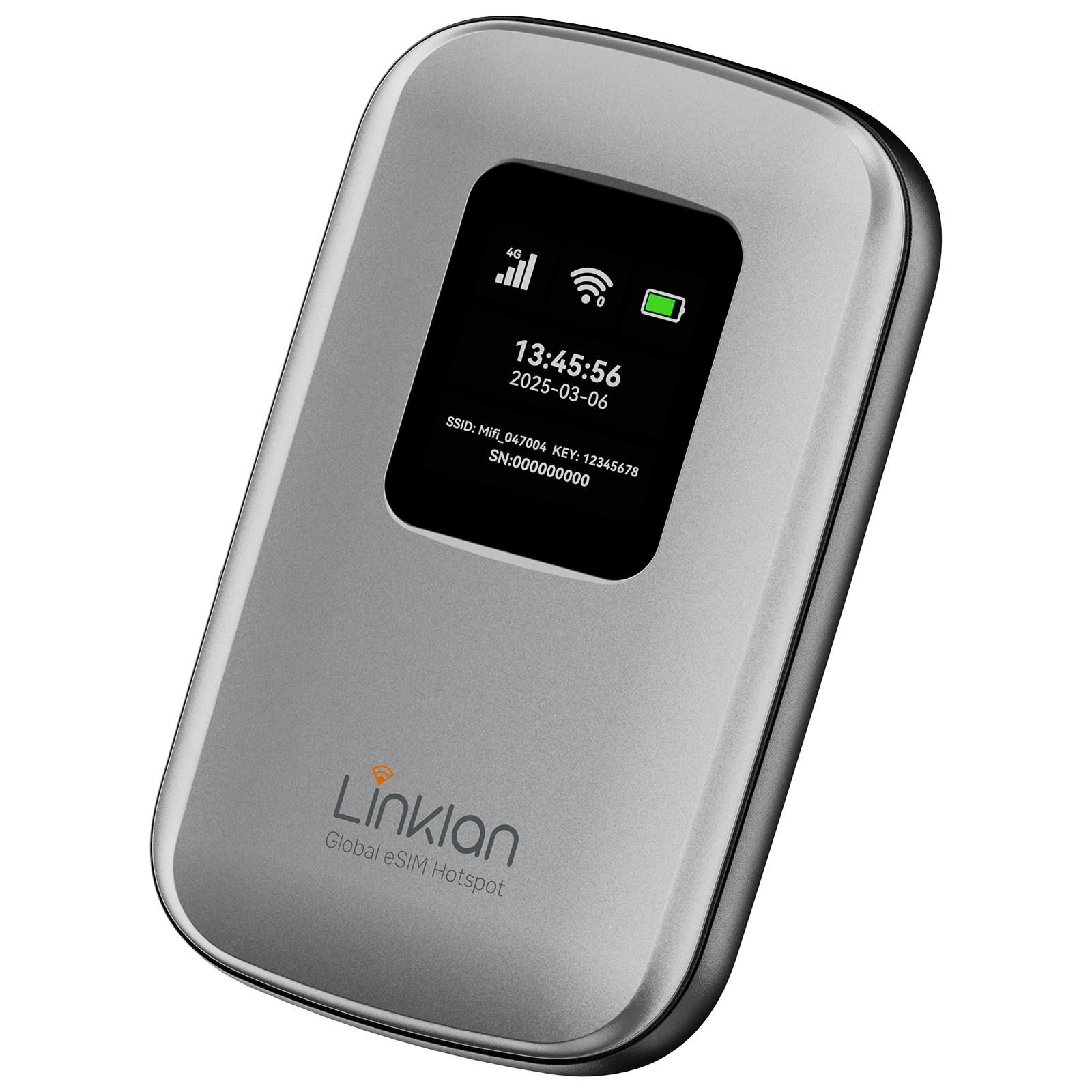
Pair your plan with a Linklan Unlocked eSIM Hotspot and enjoy simple, reliable travel Wi-Fi across all your devices.
What Travelers Say About Linklan
See how travelers stay connected with Linklan eSIM.

Frequently asked questions
Everything you need to know before you buy.
How to set up an APN?


-
Connect your mobile phone to the device's Wi-Fi.
-
Open the mobile browser and enter the address: 192.168.43.1
-
Click Start .
-
Set a new Wi-Fi password, check the box "Current password is the same as WLAN password", then click Next.
-
Reconnect your mobile phone to the device's Wi-Fi, enter the password you just set, and log in.
-
After entering the management page, select Network Settings.
-
Click the + (Add) button on the right side of the Profile list.
-
Fill in the APN information: Enter the APN name in both the Profile and APN fields. If the APN includes a username and password, fill them in as well.
-
Click Save, then check whether the settings are successful on the webpage or the device screen.
How can I switch the network operator on the eSIM hotspot device?
Connect your phone to hotspot WiFi
Visit the device admin panel via browser (192.168.43.1) and log in with administrator account
Go to【Network Settings / Mobile Network Status】
Set network search mode to【Manual】
Wait for scanning available nearby operators
Select target operator and save settings, device will register network automatically
Does the Linklan eSIM Hotspot support data usage limits or usage alerts?
The hotspot device itself does not show data usage. However, the Linklan App lets you monitor:
-
Used and remaining data
-
Plan expiration time
-
Network connection quality
Ideal for travelers using portable WiFi worldwide.
How many eSIM profiles can the Linklan eSIM Hotspot store?
Your Linklan travel hotspot can store up to 10 eSIM profiles. For best performance and network stability, we recommend activating no more than 5 at a time.
Can I install my own eSIM on the Linklan eSIM Hotspot?
Absolutely. You can install any unused GSMA-compliant eSIM, including regional or international phone plans, by scanning the QR code in the Linklan App.
Can the Linklan eSIM Hotspot install Airalo eSIMs?
Yes. The hotspot fully supports Airalo eSIM plans and other GSMA-compliant services. Use the Linklan App to scan the QR code and begin using global data instantly.
How can I purchase data plans for the Linklan eSIM Hotspot?
Option 1: Use the Linklan App or website to buy and activate a plan instantly.
Option 2: Purchase from third-party eSIM marketplaces like Airalo or Holafly, then use the Linklan App to scan the QR code and install the plan on your portable WiFi hotspot.
Method 2: Buy a plan from other major eSIM data providers and use the Linklan App to scan the QR code and install it on your hotspot.
Do you support pay-as-you-go or daily plans?
Yes. Linklan offers a wide range of affordable phone plans, including daily, weekly, and pay-as-you-go data plans. You can also bring your own plan from other cheap data providers.
Are there any extra charges for roaming?
No hidden fees. You pay only for the data plan you select — whether it’s from Linklan or a third party. There are no roaming fees when using your eSIM hotspot abroad.
Does it support global data plans?
Yes. Linklan supports global and regional eSIM data plans in 180+ countries. Whether you need a T-Mobile data plan, cheap phone plan, or a portable WiFi plan for travel, we’ve got you covered. Just ensure your provider complies with the GSMA eSIM standard.
linklan app
You can get Linklan on Google Play and the App Store
Manage plans, check data usage and install your eSIM from one simple app before or during your trip.